> ## Documentation Index
> Fetch the complete documentation index at: https://docs.allthingslinux.org/llms.txt
> Use this file to discover all available pages before exploring further.
# Development
> Run the Mintlify CLI locally, validate the site, and troubleshoot common issues
**Prerequisites**: Node.js 24+ and pnpm, as defined in the monorepo root
`package.json`.
## Preview locally
From the monorepo root:
```bash theme={null}
pnpm --filter @atl/docs dev
```
Or from `apps/docs`:
```bash theme={null}
pnpm dev
```
The preview defaults to **[http://localhost:3000](http://localhost:3000)**.
## Custom ports
Use a different port if 3000 is taken:
```bash theme={null}
mint dev --port 3333
```
## Validate and check links
Before you open a pull request:
```bash theme={null}
pnpm --filter @atl/docs exec mint validate
pnpm --filter @atl/docs exec mint broken-links
```
CI runs these commands when files under `apps/docs/` change.
## Keep the CLI in sync
Each `mint` release targets a specific platform build. If local preview diverges from production, update the CLI:
```bash theme={null}
mint update
```
The `mint` package version is declared in `apps/docs/package.json`.
## Deployment
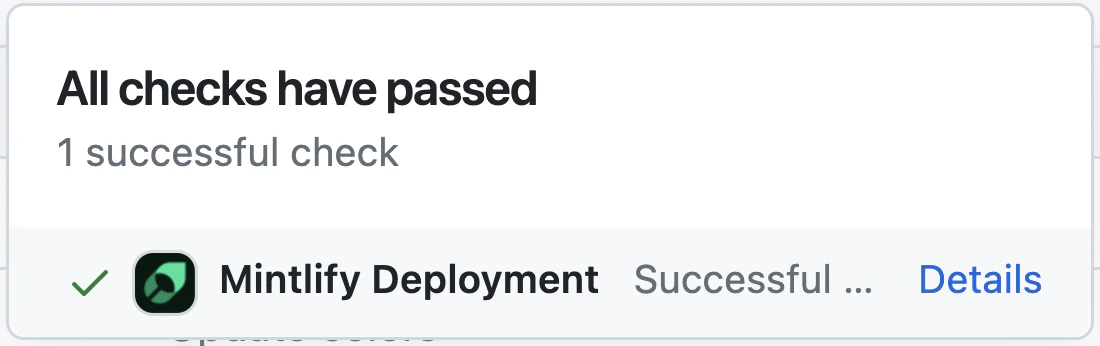
Production deploys are triggered by Mintlify’s GitHub integration. Successful runs show green checks on your PR and in the Mintlify dashboard.
 ## Editor tooling
We recommend the [MDX VS Code extension](https://marketplace.visualstudio.com/items?itemName=unifiedjs.vscode-mdx) for highlighting and [Prettier](https://marketplace.visualstudio.com/items?itemName=esbenp.prettier-vscode) for formatting.
## Troubleshooting
This often indicates a Node version mismatch. Try:
1. Remove the global CLI: `npm remove -g mint`
2. Use Node 24+ (see monorepo engines).
3. Reinstall: `npm i -g mint` or use the project-local `pnpm exec mint` from `apps/docs`.
Delete `~/.mintlify` and run `mint dev` again from `apps/docs`.
See the [Mintlify CLI package](https://www.npmjs.com/package/mint) for release history.
## Editor tooling
We recommend the [MDX VS Code extension](https://marketplace.visualstudio.com/items?itemName=unifiedjs.vscode-mdx) for highlighting and [Prettier](https://marketplace.visualstudio.com/items?itemName=esbenp.prettier-vscode) for formatting.
## Troubleshooting
This often indicates a Node version mismatch. Try:
1. Remove the global CLI: `npm remove -g mint`
2. Use Node 24+ (see monorepo engines).
3. Reinstall: `npm i -g mint` or use the project-local `pnpm exec mint` from `apps/docs`.
Delete `~/.mintlify` and run `mint dev` again from `apps/docs`.
See the [Mintlify CLI package](https://www.npmjs.com/package/mint) for release history.